Assign numbers to cabinets so you can identify them during production.
Give each cabinet a distinct number. Check which cabinet each number belongs to so you can identify it during production.
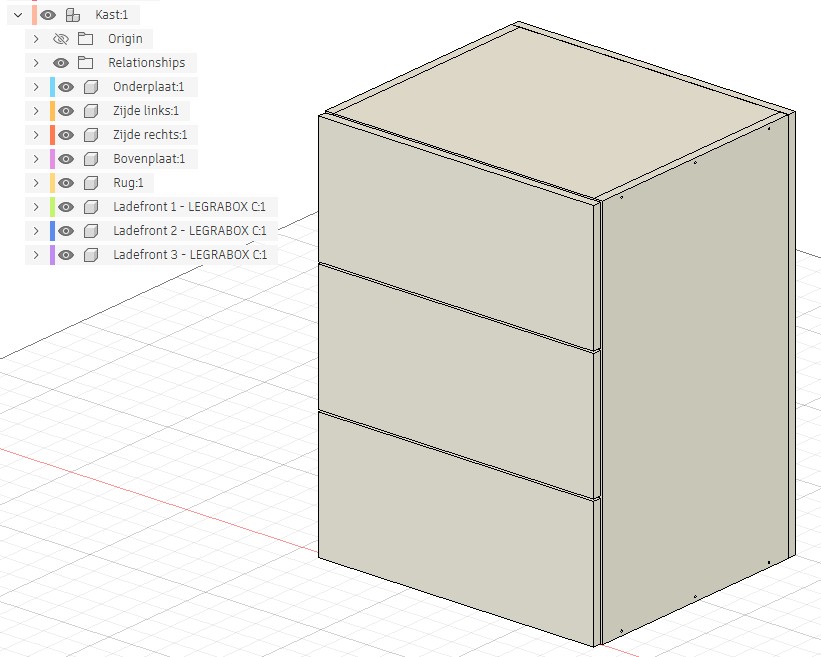
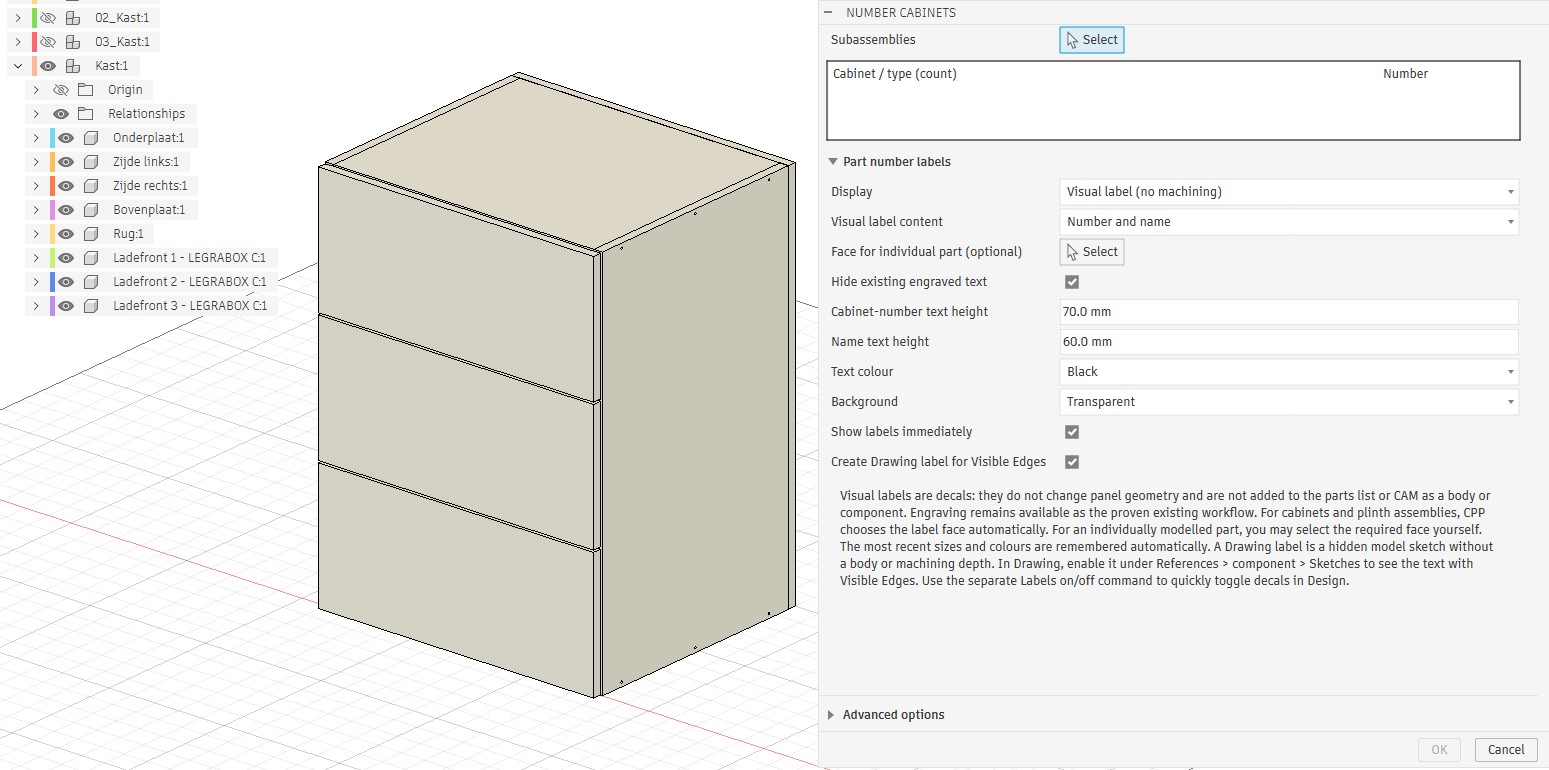
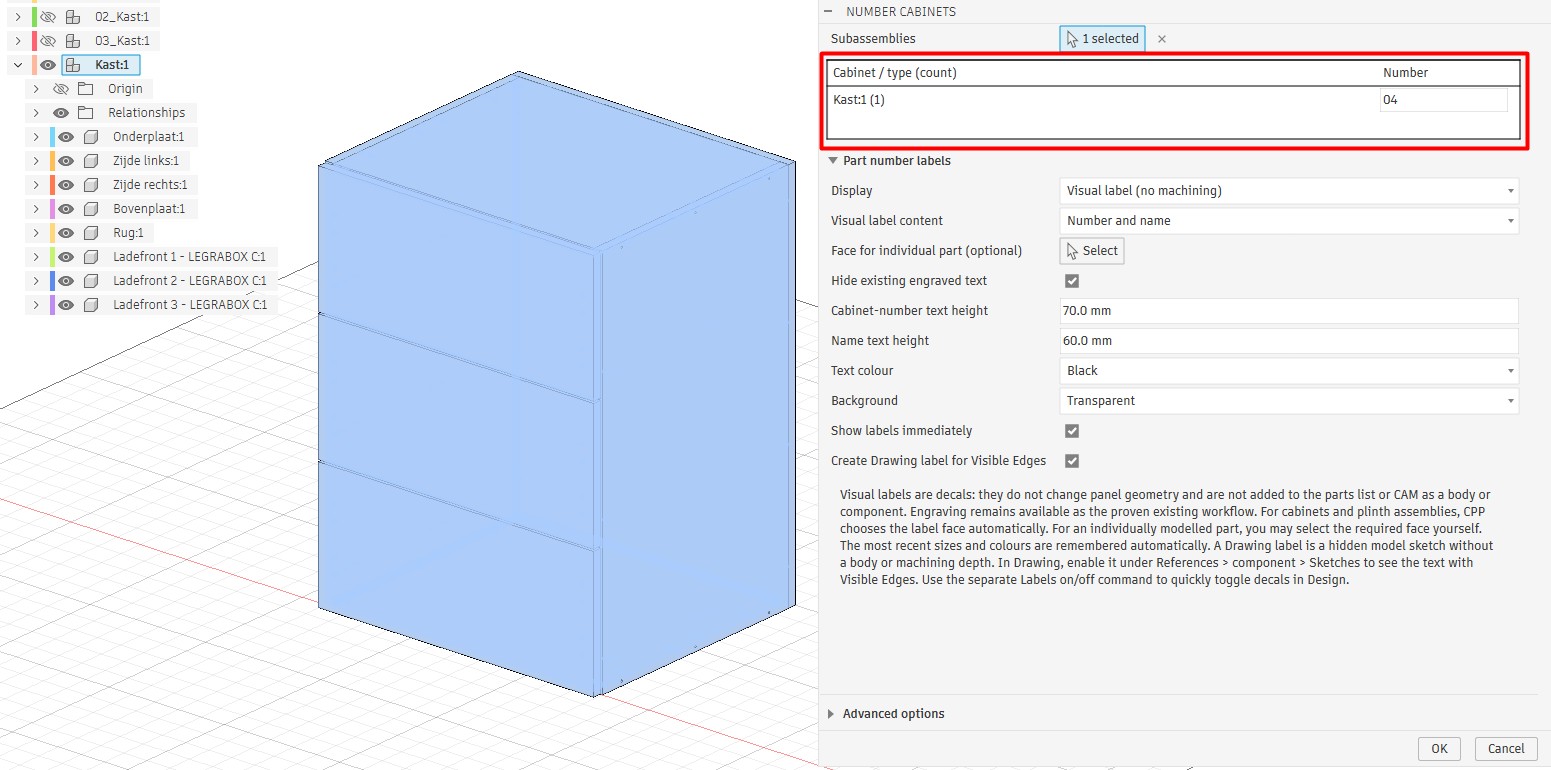
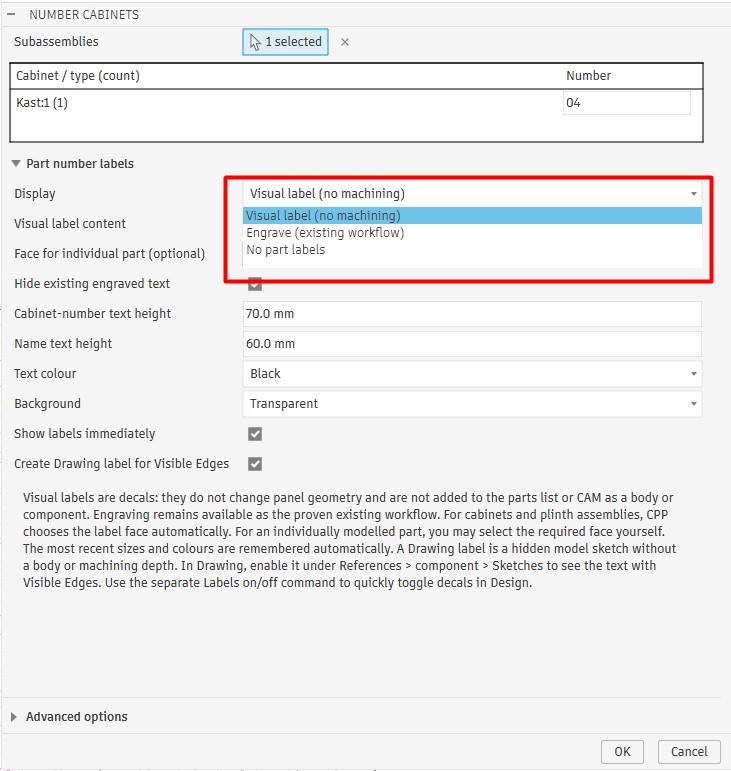
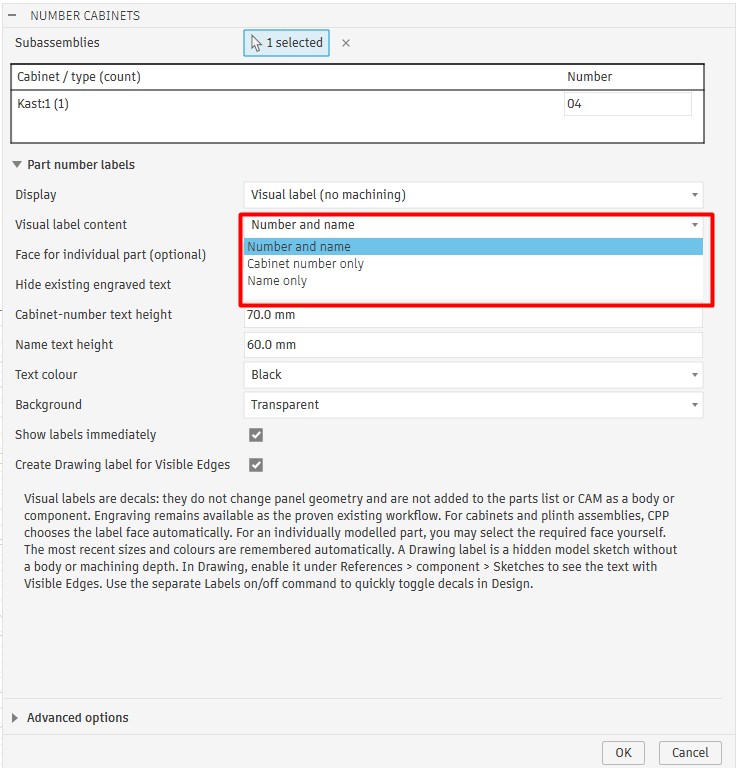
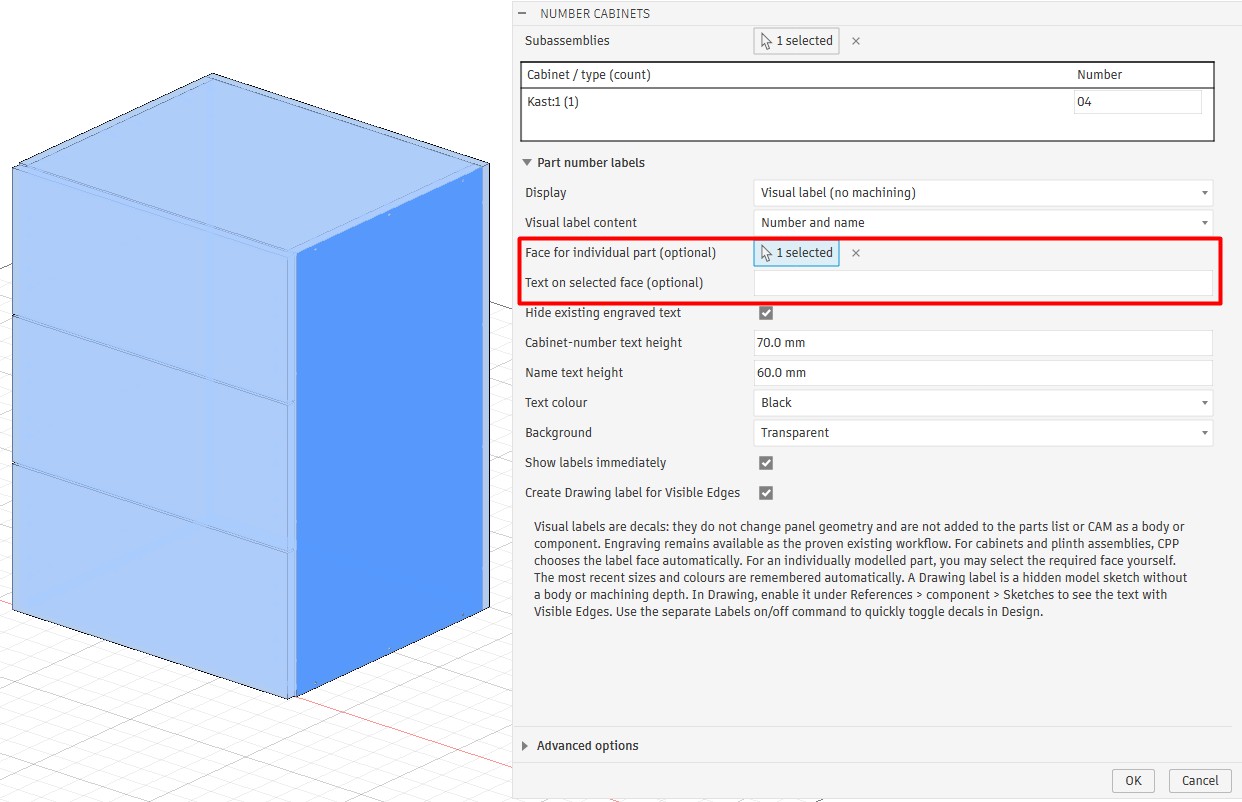
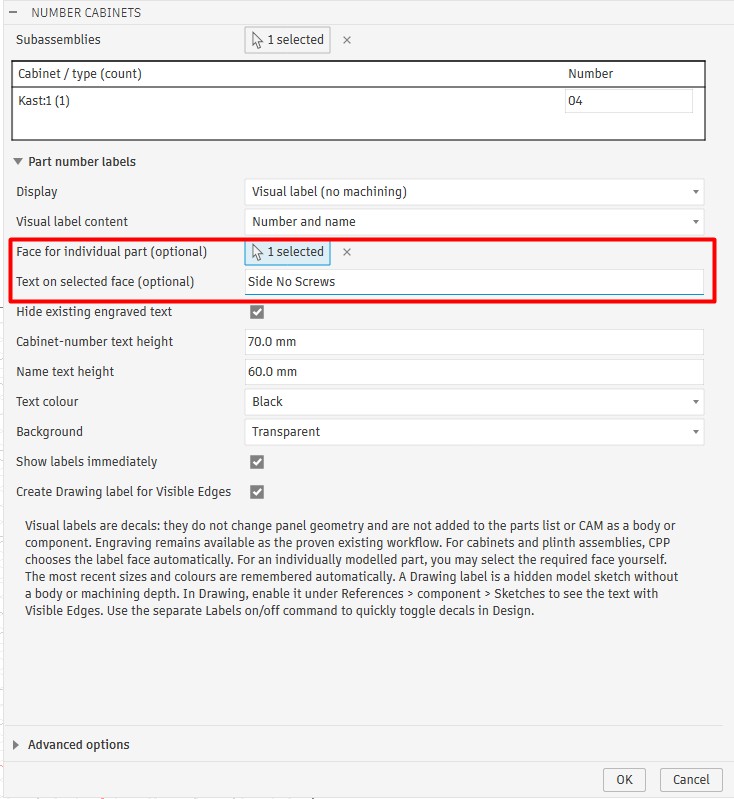
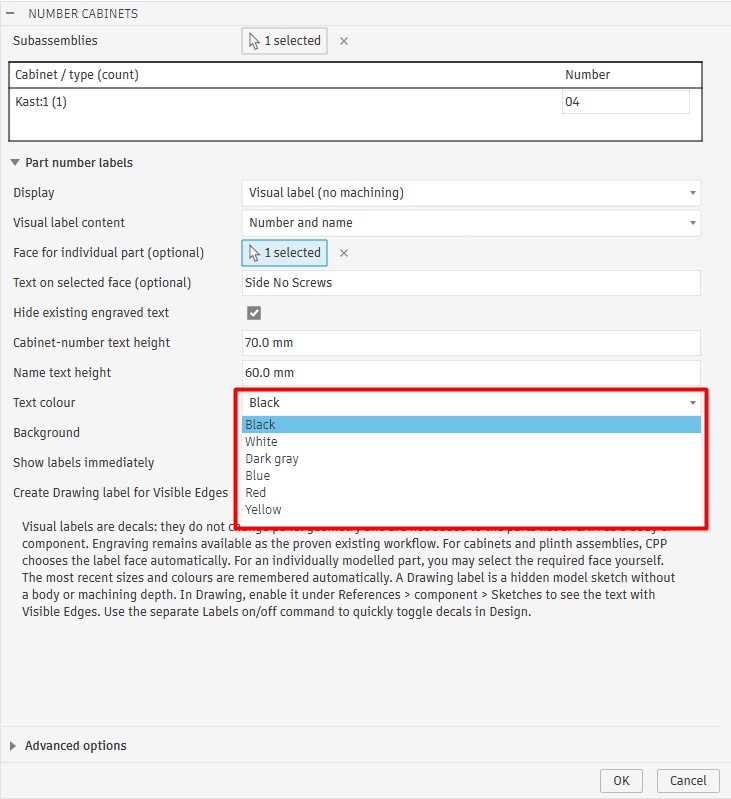
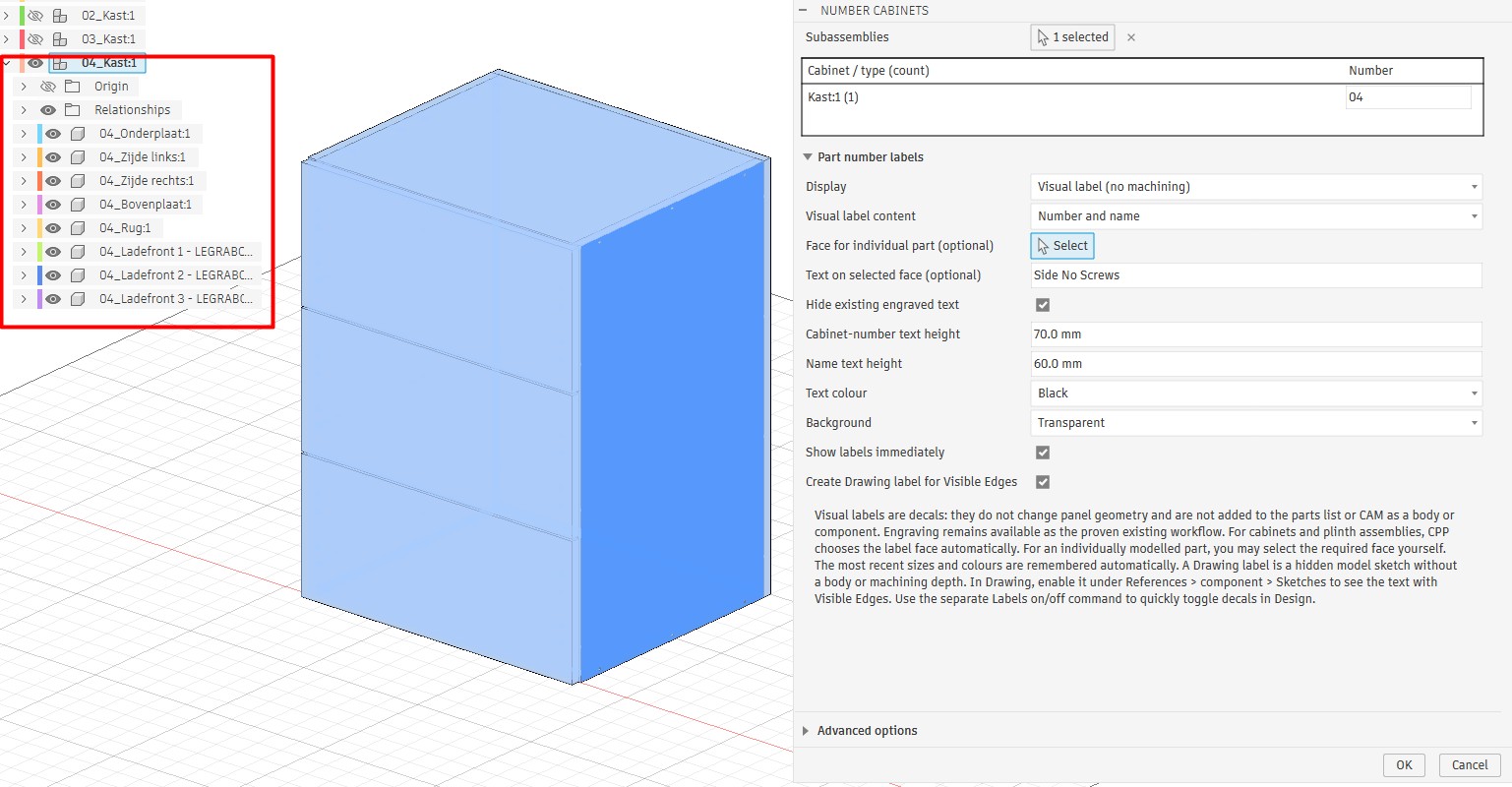
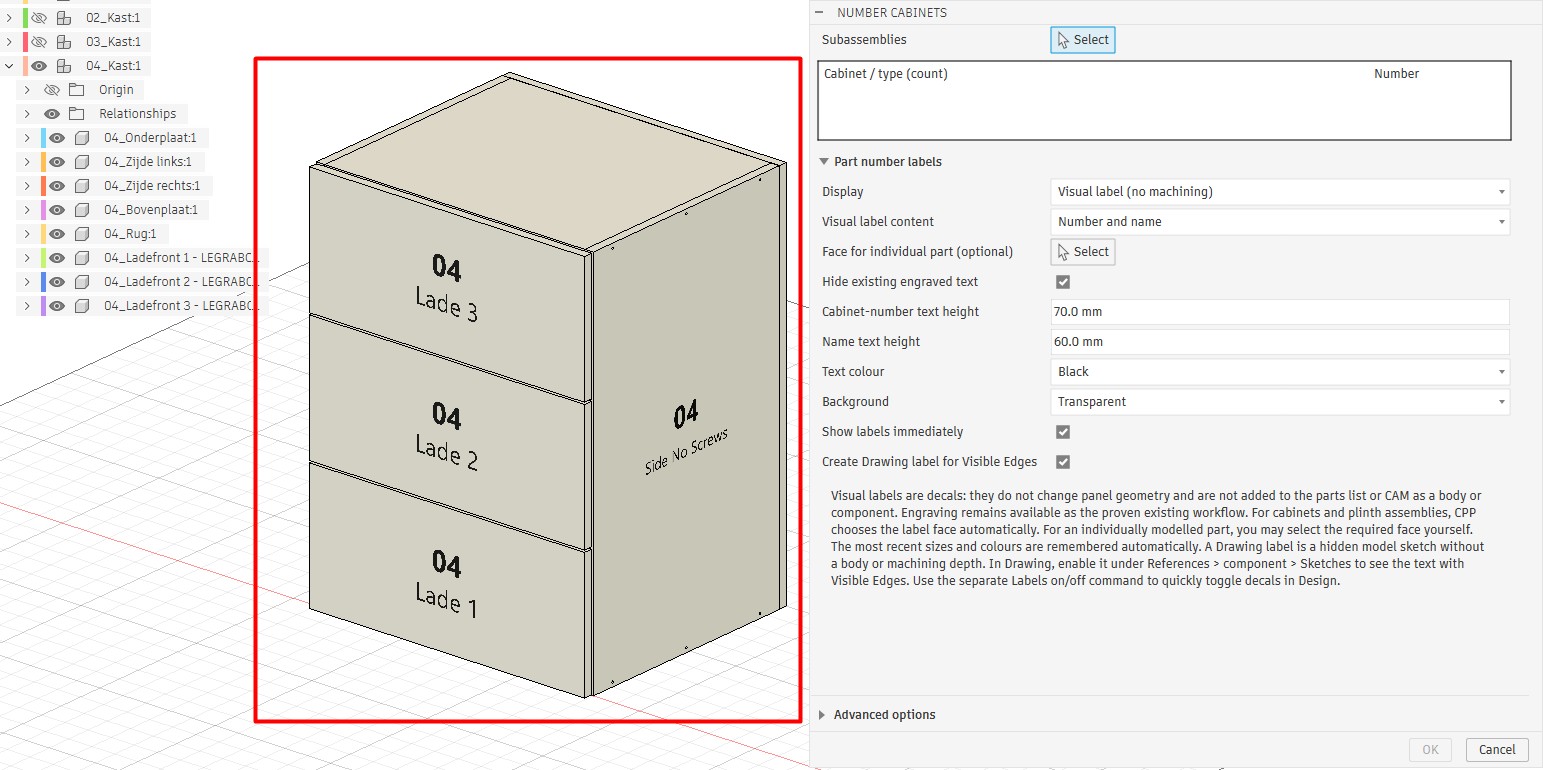
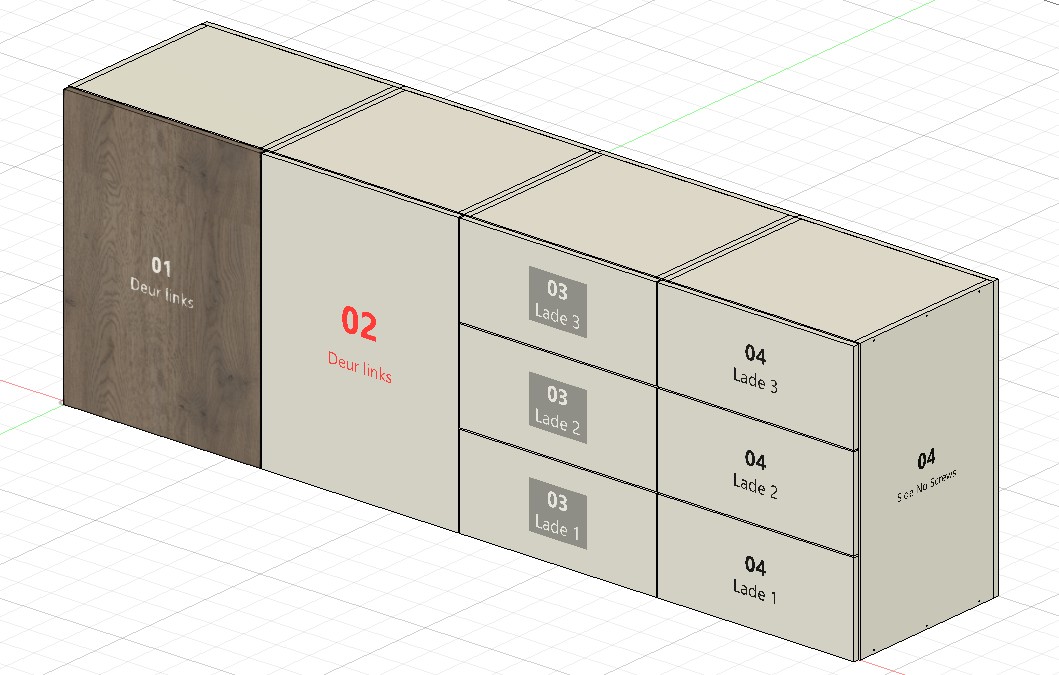
The cabinet and its components start without a cabinet number.Open Number Cabinets and select the cabinet or component you want to number.Give each cabinet its own number, or assign the same number to multiple cabinets at once.Choose a visual label, engraving, or no part labels.Show the cabinet number and name, the number only, or the name only.Select the face where you want to add information.Enter custom text for the selected face, such as ‘Side No Screws’.Choose a text colour and an optional background, then click OK.Check the Fusion browser. Each part in this cabinet now starts with 04.The drawer fronts show the cabinet number and their names. The selected side shows the custom text.Combine multiple numbered cabinets and choose text colours to suit the materials you use.